Business Phone Systems
Business Phone System Installation: A Planning Checklist
Plan a business phone system installation with clearer call flows, number porting, network checks, emergency calling, testing, training, and support.

A business phone system installation is not just a delivery of desk phones and a new monthly bill. It changes how customers reach you, how employees transfer calls, how after-hours requests are handled, and who gets help when something goes wrong. The projects that feel smooth are usually planned around those real operating details before the provider starts configuration.
Whether you are replacing an aging system, opening an office, moving locations, or bringing remote staff onto one platform, use this checklist to turn a phone-system quote into a workable rollout plan. The goal is simple: keep important calls flowing while giving your team a system they can actually use.
Start With the Business Outcome, Not the Phone Model
The first decision is not whether you want a particular desk phone or a long list of features. Start with the calls that matter to the business. A front desk may need calls answered quickly and routed to the right person. A sales team may need mobile access, shared visibility, and dependable voicemail. A multi-location organization may need one main number, clear overflow rules, and a way to keep service working during an office issue.
Write down the business moments the new system has to handle: new customer inquiries, existing-client calls, scheduling, urgent requests, deliveries, vendor support, internal transfers, and after-hours messages. Then identify what is failing today. Calls may ring too many people, disappear into voicemail, reach the wrong location, or require staff to use personal cell phones. A provider can configure many features, but it cannot guess which ones protect your day-to-day operations.
- Which calls must reach a live person immediately?
- Which departments, locations, or roles need their own number, queue, or extension?
- What should happen when a call is not answered, a location is closed, or a staff member is away?
- Which callers need a simple route, such as patients, clients, delivery drivers, service partners, or job candidates?
- What information must the team see or capture before transferring a call?
Teams comparing platforms can begin with The Tech Ref's business VoIP guidance to clarify the service model, call handling, and provider questions before choosing equipment.
Map the Call Flow Before Configuration Starts
Call flow is the set of decisions the phone system makes from the moment someone calls your main number. It includes greetings, menus, ringing groups, call queues, transfers, voicemail, after-hours rules, and emergency paths. It is much easier to correct on paper than during a rushed cutover.
Ask a few people who answer or receive calls to walk through an ordinary busy day. Include the receptionist or office manager, someone from the customer-facing team, a manager, and anyone responsible for after-hours coverage. Capture the exceptions too. A good plan covers the normal path, but it also explains what happens when the front desk is tied up, a caller needs a different location, or a key employee is unavailable.

Include these in the call-flow review
- Main number greetings, menus, and holiday or weather closures.
- Department and individual extensions, including shared lines and executive coverage.
- Ring timing, overflow groups, voicemail, and callback expectations.
- Call queues for sales, service, scheduling, support, or high-volume periods.
- Mobile and remote-worker access, including caller ID and outbound-call rules.
- Conference rooms, door systems, paging, fax, alarms, or other equipment that interacts with phone service.
Keep the first version practical. You do not need a complicated contact-center design to solve a basic reception problem. In fact, too many menu choices and exceptions can make a new system harder to operate. Start with the few call paths that carry the most customer and operational value, then document which person has authority to approve later changes.
Confirm Users, Devices, and Locations
A phone installation usually involves more than named employees. Inventory every user, common-area phone, conference room, reception position, elevator or lobby line, remote worker, and shared workflow that needs voice access. Confirm whether each person needs a desk phone, headset, mobile app, browser calling, a shared line, or a mix. This avoids paying for the wrong equipment and prevents surprise requests after the order is placed.
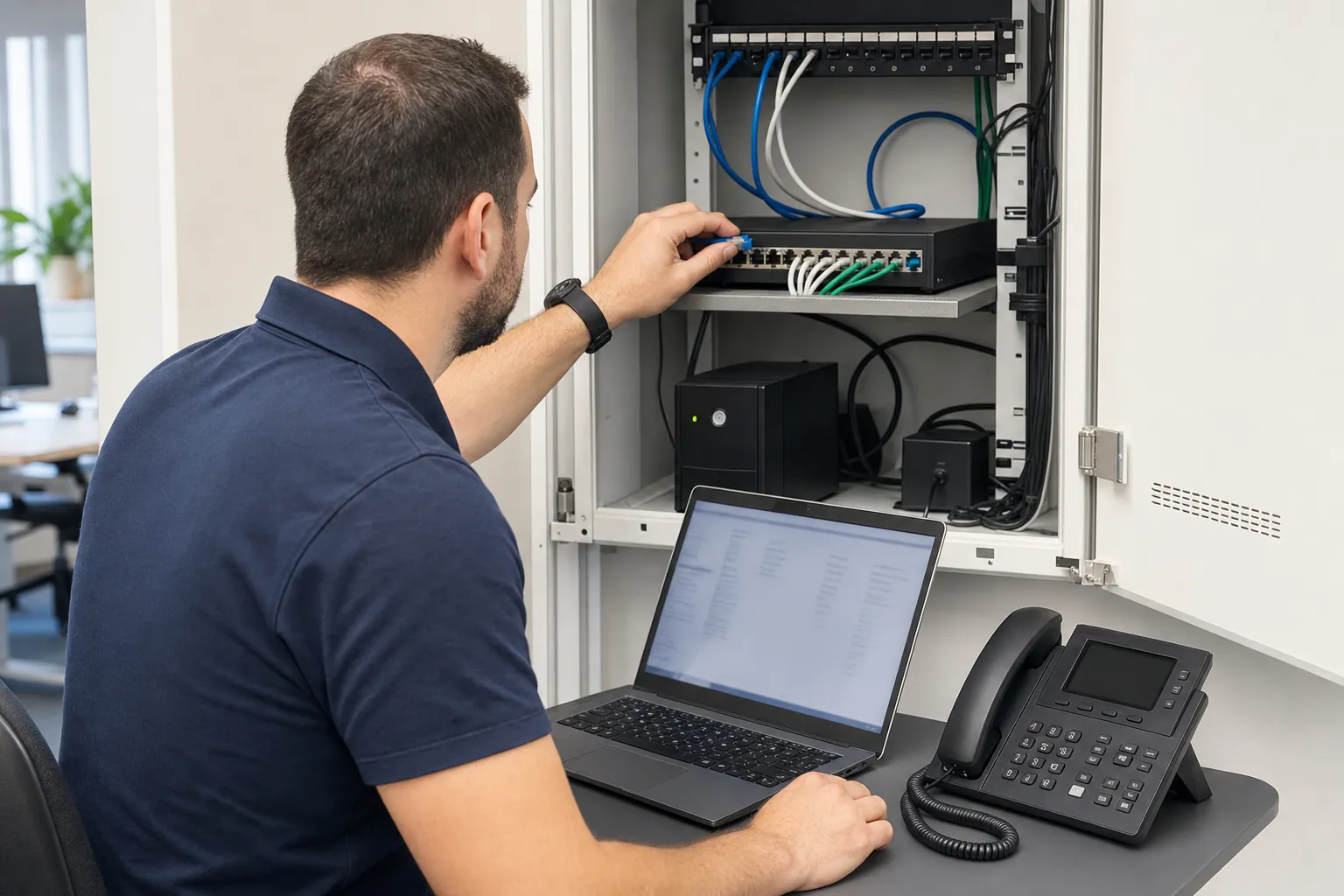
For each office, identify where phones will sit, whether the existing cabling reaches the right places, and whether the local network can power desk phones. If you are moving or opening a location, coordinate phone service with the internet installation, furniture plan, cabling work, and construction schedule. A desk phone is not useful if the data connection or power-over-Ethernet port is still waiting on another vendor.
The business phone system installation service is designed for teams that need to turn this inventory and timing work into a clear provider scope before the project begins.
Check the Network and Backup Plan
Cloud phone systems rely on the network around them. A good provider should ask about the internet connection, local switching, Wi-Fi where mobile devices will be used, power protection, remote-work expectations, and any applications that compete for bandwidth. The goal is not to chase a theoretical speed number. It is to confirm that voice quality, business-critical traffic, and normal office use can coexist without calls becoming the first thing to fail.
Ask what happens during an internet outage or power problem. Some businesses can forward calls temporarily to mobile phones. Others need a backup connection, a secondary location, or a defined message and escalation plan. The right answer depends on the cost of a missed call and how quickly the team needs to recover, not on a feature list.
For a closer look at provider commitments and outage planning, use the business internet SLA guide and the business internet provider guide. They explain the practical questions behind uptime language, repair commitments, and backup options.
Plan Number Porting Early
For most businesses, keeping the existing main number is non-negotiable. It may be printed on signs, invoices, websites, business cards, and directory listings, and customers may know it by heart. Number porting is the formal process of moving that number from the current carrier to the new provider. It often goes smoothly, but it needs accurate information and a realistic schedule.
Build a number inventory before signing. List the main number, direct lines, toll-free numbers, fax numbers, conference lines, and numbers that belong to alarms, elevators, door systems, or payment terminals. Confirm which carrier currently owns each number, whose name is on the account, and whether there are pending changes or contract obligations. A single mismatch in an account record can delay a transfer when the cutover date is already close.
The FCC's consumer guide to keeping your phone number when changing providers explains why the current account must generally remain active until the transfer is complete. In practice, do not cancel the old service because the new provider says the port has been requested. Agree on the cutover and cancellation sequence in writing.
Ask the provider these porting questions
- What documents and account details are needed for each number?
- What is the expected porting timeline, and what could delay it?
- Which numbers will be tested before and after the cutover?
- How will inbound and outbound calling work if a port does not complete on schedule?
- Who is available during the cutover window, and who owns escalation with the losing carrier?
- When is it safe to disconnect the old service and stop billing?
Treat Emergency Calling as a Location Decision
Emergency calling needs more attention than a generic statement that the system supports 911. Cloud and multi-line phone environments can require the business to keep location information accurate as phones move, people work remotely, or a new site opens. The provider should explain how emergency calls are routed, what location is transmitted, how notifications work, and who is responsible for keeping records current.
The FCC's multi-line telephone system 911 requirements cover direct 911 dialing, dispatchable location, and notification obligations for covered systems. Requirements can depend on the setup and location, so use the rule as a reason to get a clear implementation answer from the provider and the appropriate legal or safety adviser, not as a box to check casually.
Include this in the implementation plan: every office address, floor or suite detail where relevant, remote-work policy, emergency contacts, testing method, notification recipients, and the process for updating a location when a phone moves. This is also the point to identify legacy lines or special devices that should not be disconnected without a separate plan.
If your business still depends on analog lines for alarms, elevators, fax, paging, or similar equipment, review the POTS replacement guide before treating the phone project as a simple replacement.
Test the System Before the Cutover
A provider demo is not the same as a live test. Before the business relies on the new system, give a small group a test plan that follows the calls they will actually make and receive. Include the front desk, a manager, someone who works remotely, and any team with unusual routing or customer obligations. Test from outside numbers as well as between extensions.

- Inbound calls to the main number, direct lines, toll-free numbers, and every critical queue.
- Transfers, hold, voicemail, call pickup, caller ID, and after-hours routing.
- Outbound calling from desk phones, mobile apps, conference rooms, and remote locations.
- Call quality during a normal busy period, including headset use and transfers.
- Emergency-calling process and notifications, following the provider's approved test procedure.
- Access for the internal administrator, including how to request changes and review call issues.
Keep a simple issue list with the expected behavior, actual result, owner, and resolution date. That gives the provider a clear path to fix the issue and protects the team from trying to remember every problem after a long rollout call.
Train the People Who Will Carry the First Week
The first week after a phone installation is where a technically complete project can still feel frustrating. Staff need a short, role-specific explanation of the calls they handle every day. A receptionist may need queue controls, transfers, and after-hours rules. Managers may need voicemail and mobile settings. The internal administrator may need user setup, reporting, and escalation contacts. Give people the instructions they will use, not a generic feature tour.
Confirm who owns the provider relationship after installation. That person should have the final scope, number list, call-flow map, admin access details, training materials, escalation contacts, and any open issue list. The provider may be responsive, but internal ownership is what prevents a small change from becoming a series of unanswered emails.
How The Tech Ref Helps With Phone System Installation
The Tech Ref helps businesses compare phone-system providers and turn a vague proposal into a clear rollout plan. We can help organize requirements, make implementation responsibilities visible, compare scope and contract terms, coordinate provider questions, and keep the project focused on the calls your business cannot afford to miss. The service is vendor-neutral and complimentary to the business.
Related guidance
Frequently Asked Questions
How long does a business phone system installation take?
The timeline depends on the number of users, locations, devices, call flows, integrations, network dependencies, and whether existing numbers must be moved. A small, simple office can be ready quickly once requirements are complete, while a multi-site rollout or office move needs more coordination. The safest approach is to agree on milestones for requirements, equipment, configuration, number porting, testing, training, and cutover before promising a date to the business.
Can we keep our existing business phone numbers?
Usually, yes. The new provider requests a number port from the current carrier, but the process depends on accurate account information, the type of number, and the services attached to it. Keep the old service active until the transfer is complete and make sure the provider has a fallback plan for any number that does not port on time.
Do we need new network equipment for a cloud phone system?
Not always. Some offices can use the existing internet connection, switching, cabling, and power setup. Others need added capacity, power-over-Ethernet ports, a network adjustment, or a backup connection. The provider should review the actual office environment and remote-work needs before treating the network as an afterthought.
Who should be involved in a phone system installation?
Include the people who understand customer calls, office operations, IT or network responsibilities, finance or contract approval, and the provider relationship. For many businesses, that means an office manager, a customer-facing leader, an internal or outside IT contact, and an executive sponsor. The right group is small enough to make decisions but close enough to the work to spot a missing requirement.
Keep exploring
Related guides

How to Choose a Business Phone System: 8 Practical Steps
Learn how to choose a business phone system by comparing call handling, users, reliability, integrations, security, support, and total cost.
Read guide
AI Receptionist for Business: What to Compare
Learn what to compare in an AI receptionist for business, from call handling and handoffs to privacy, integrations, testing, and ongoing review.
Read guide
How Businesses Can Reduce Spam Calls Without Missing Real Customers
Reduce nuisance calls with layered screening, safer call handling, and phone-system controls that still let real customers get through.
Read guideReady for a cleaner decision?